> For AI agents: the complete documentation index is available at /zh/llms.txt, the full documentation bundle is available at /zh/llms-full.txt.
# 介绍
Rstest 是一个基于 Rspack 的 JavaScript 测试框架,它为 Rspack 生态提供了全面、一流的支持,能够轻松集成到现有的 Rspack 项目中。
Rstest 提供兼容 Jest 的 API,同时提供对 TypeScript、ESM、CJS 等的原生、开箱即用支持,确保现代高效的测试体验。
## ✨ 为什么选择 Rstest
Rstest 基于 Rspack 与 Rsbuild 构建,开箱即用,对 TypeScript、ESM、CJS、CSS Modules 等常见场景提供默认支持。即使不在 Rspack 生态中,也可以在不迁移现有构建体系的前提下接入并使用。
对于已经使用 Rstack 工具链(Rspack、Rsbuild、Rslib 等)的项目,Rstest 能够进一步**复用现有的构建配置**,包括模块解析、代码转换以及插件能力,无需为测试维护独立的 transform 或 resolver 配置。
在执行模型上,Rstest 采用基于依赖图的 **bundle 模型**来运行测试,而不是传统测试框架中基于逐文件转换(transform)的执行方式。这种方式能够直接复用构建阶段的优化能力(如 tree-shaking,以及对无副作用的 barrel file 重导出的按需跳过),使测试结果更加接近真实运行产物,同时在大规模项目中减少重复的模块转换与执行开销,从而提升测试效率与稳定性。
通过将测试能力纳入构建流程,Rstest 简化了整体工具链结构,减少了配置与插件系统的重复成本,使测试能够更自然地融入现代工程架构(如 monorepo 和复杂应用架构)中。
未来,Rstest 将持续围绕“构建 + 测试”的一体化方向演进,探索更高效的质量保障方案,并与 CI、Agent 等能力进一步结合。
## 🔥 路线图
Rstest 现已支持 Node.js 测试、DOM 测试、Mock、多项目测试、覆盖率收集等核心能力,并在 Rstack(包括 Rspack、Rsbuild、Rslib 等)项目中落地使用。
目前项目处于积极发展阶段,我们将持续基于社区反馈,不断完善功能与用户体验。更多未来规划,请参阅 [Rstest Roadmap](https://github.com/web-infra-dev/rstest/issues/85)。
## 🦀 Rstack
Rstest 是 Rstack 的一员。Rstack 是为开发者与 Agent 打造的高性能、一体化 JavaScript 工具链。
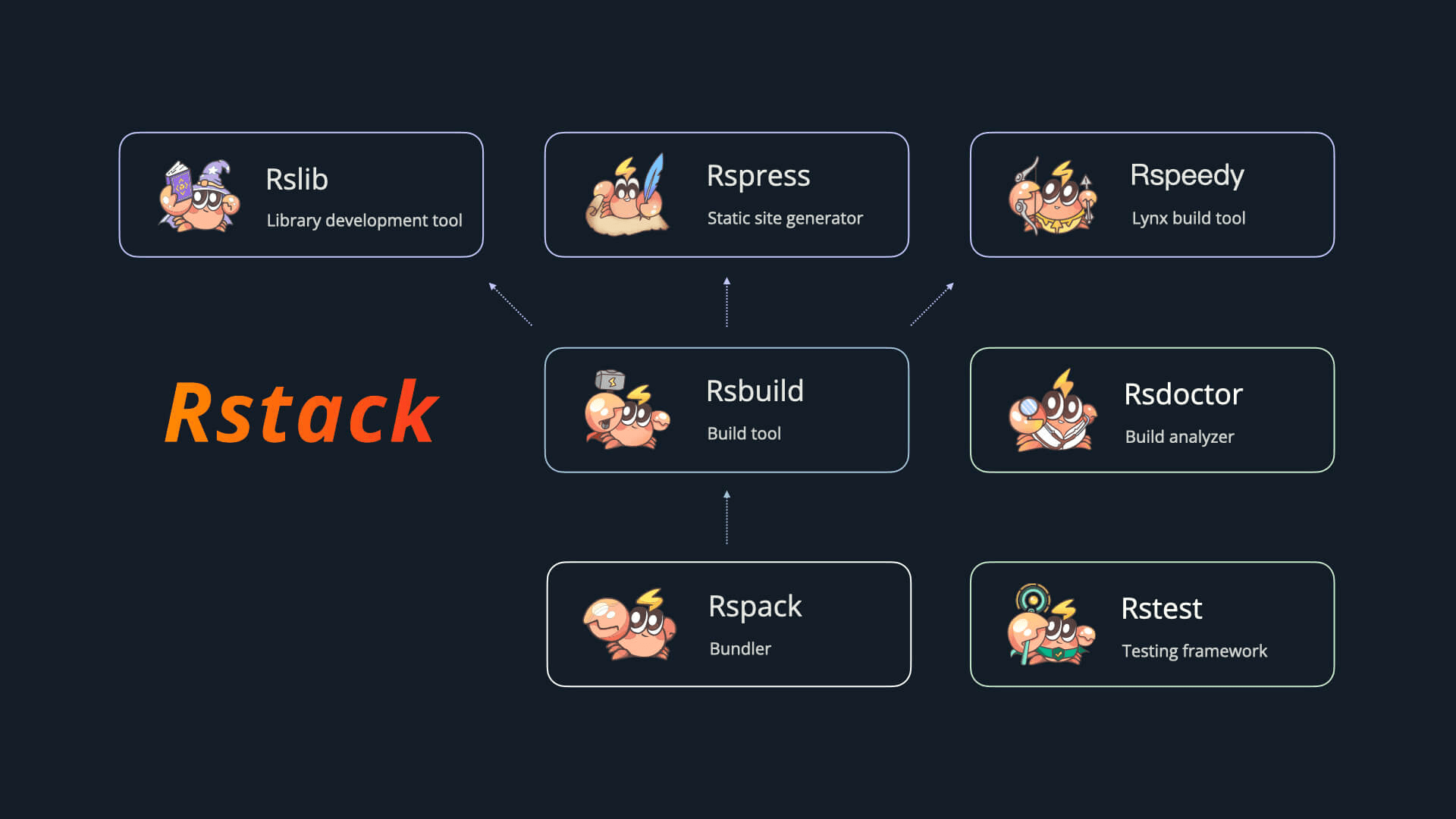
Rstack 包含以下工具:
| 名称 | 描述 | 版本 |
| ----------------------------------------------------- | ------- | -------------------------------------------------------------------------------------------------------------------------------------------------------------------------------- |
| [Rspack](https://github.com/web-infra-dev/rspack) | 打包工具 |  |
| [Rsbuild](https://github.com/web-infra-dev/rsbuild) | 构建工具 |
|
| [Rsbuild](https://github.com/web-infra-dev/rsbuild) | 构建工具 |  |
| [Rslib](https://github.com/web-infra-dev/rslib) | 库开发工具 |
|
| [Rslib](https://github.com/web-infra-dev/rslib) | 库开发工具 |  |
| [Rspress](https://github.com/web-infra-dev/rspress) | 静态站点生成器 |
|
| [Rspress](https://github.com/web-infra-dev/rspress) | 静态站点生成器 |  |
| [Rsdoctor](https://github.com/web-infra-dev/rsdoctor) | 构建分析工具 |
|
| [Rsdoctor](https://github.com/web-infra-dev/rsdoctor) | 构建分析工具 |  |
| [Rstest](https://github.com/web-infra-dev/rstest) | 测试框架 |
|
| [Rstest](https://github.com/web-infra-dev/rstest) | 测试框架 |  |
| [Rslint](https://github.com/web-infra-dev/rslint) | 代码检查工具 |
|
| [Rslint](https://github.com/web-infra-dev/rslint) | 代码检查工具 |  |
## 📦 核心包
Rstest 的基础能力由 [@rstest/core](https://github.com/web-infra-dev/rstest/tree/main/packages/core) 提供,其他核心包则用于补充 Browser Mode、覆盖率和 Rstack 配置复用等场景。你可以根据项目需要按需安装。
Rstest 包含以下核心包:
| 名称 | 描述 | 版本 |
| --------------------------------------------------------------------------------------------------------- | --------------------- | ------------------------------------------------------------------------------------------------------------------------------------------------------------------------------------------------------ |
| [@rstest/core](https://github.com/web-infra-dev/rstest/tree/main/packages/core) | 测试框架核心包 | |
| [@rstest/browser](https://github.com/web-infra-dev/rstest/tree/main/packages/browser) | Browser Mode 支持 |
|
## 📦 核心包
Rstest 的基础能力由 [@rstest/core](https://github.com/web-infra-dev/rstest/tree/main/packages/core) 提供,其他核心包则用于补充 Browser Mode、覆盖率和 Rstack 配置复用等场景。你可以根据项目需要按需安装。
Rstest 包含以下核心包:
| 名称 | 描述 | 版本 |
| --------------------------------------------------------------------------------------------------------- | --------------------- | ------------------------------------------------------------------------------------------------------------------------------------------------------------------------------------------------------ |
| [@rstest/core](https://github.com/web-infra-dev/rstest/tree/main/packages/core) | 测试框架核心包 | |
| [@rstest/browser](https://github.com/web-infra-dev/rstest/tree/main/packages/browser) | Browser Mode 支持 |  |
| [@rstest/browser-react](https://github.com/web-infra-dev/rstest/tree/main/packages/browser-react) | React 组件测试工具 |
|
| [@rstest/browser-react](https://github.com/web-infra-dev/rstest/tree/main/packages/browser-react) | React 组件测试工具 |  |
| [@rstest/coverage-v8](https://github.com/web-infra-dev/rstest/tree/main/packages/coverage-v8) | V8 覆盖率 Provider |
|
| [@rstest/coverage-v8](https://github.com/web-infra-dev/rstest/tree/main/packages/coverage-v8) | V8 覆盖率 Provider |  |
| [@rstest/coverage-istanbul](https://github.com/web-infra-dev/rstest/tree/main/packages/coverage-istanbul) | Istanbul 覆盖率 Provider |
|
| [@rstest/coverage-istanbul](https://github.com/web-infra-dev/rstest/tree/main/packages/coverage-istanbul) | Istanbul 覆盖率 Provider |  |
| [@rstest/adapter-rsbuild](https://github.com/web-infra-dev/rstest/tree/main/packages/adapter-rsbuild) | 复用 Rsbuild 配置 |
|
| [@rstest/adapter-rsbuild](https://github.com/web-infra-dev/rstest/tree/main/packages/adapter-rsbuild) | 复用 Rsbuild 配置 |  |
| [@rstest/adapter-rslib](https://github.com/web-infra-dev/rstest/tree/main/packages/adapter-rslib) | 复用 Rslib 配置 |
|
| [@rstest/adapter-rslib](https://github.com/web-infra-dev/rstest/tree/main/packages/adapter-rslib) | 复用 Rslib 配置 |  |
| [@rstest/adapter-rspack](https://github.com/web-infra-dev/rstest/tree/main/packages/adapter-rspack) | 复用 Rspack 配置 |
|
| [@rstest/adapter-rspack](https://github.com/web-infra-dev/rstest/tree/main/packages/adapter-rspack) | 复用 Rspack 配置 |  |
## 🔗 链接
- [awesome-rstack](https://github.com/rstackjs/awesome-rstack):与 Rstack 相关的精彩内容列表。
- [rstack-examples](https://github.com/rstackjs/rstack-examples):Rstack 的示例项目。
- [storybook-rsbuild](https://github.com/rstackjs/storybook-rsbuild): 基于 Rsbuild 构建的 Storybook。
- [rsbuild-plugin-template](https://github.com/rstackjs/rsbuild-plugin-template):使用此模板创建你的 Rsbuild 插件。
- [rstack-design-resources](https://github.com/rstackjs/rstack-design-resources):Rstack 的设计资源。
- [Rslint](/zh/integration/rslint.md):配置 Rslint 内置的 Rstest rules。
## 🧑💻 社区
欢迎加入我们的 [Discord](https://discord.gg/XsaKEEk4mW) 交流频道!Rstack 团队和用户都在那里活跃,并且我们一直期待着各种贡献。
你也可以加入 [飞书群](https://applink.feishu.cn/client/chat/chatter/add_by_link?link_token=3c3vca77-bfc0-4ef5-b62b-9c5c9c92f1b4) 与大家一起交流。
|
## 🔗 链接
- [awesome-rstack](https://github.com/rstackjs/awesome-rstack):与 Rstack 相关的精彩内容列表。
- [rstack-examples](https://github.com/rstackjs/rstack-examples):Rstack 的示例项目。
- [storybook-rsbuild](https://github.com/rstackjs/storybook-rsbuild): 基于 Rsbuild 构建的 Storybook。
- [rsbuild-plugin-template](https://github.com/rstackjs/rsbuild-plugin-template):使用此模板创建你的 Rsbuild 插件。
- [rstack-design-resources](https://github.com/rstackjs/rstack-design-resources):Rstack 的设计资源。
- [Rslint](/zh/integration/rslint.md):配置 Rslint 内置的 Rstest rules。
## 🧑💻 社区
欢迎加入我们的 [Discord](https://discord.gg/XsaKEEk4mW) 交流频道!Rstack 团队和用户都在那里活跃,并且我们一直期待着各种贡献。
你也可以加入 [飞书群](https://applink.feishu.cn/client/chat/chatter/add_by_link?link_token=3c3vca77-bfc0-4ef5-b62b-9c5c9c92f1b4) 与大家一起交流。